
How Much Data Do I Need for a Trip? Daily Usage Explained
How much data apps really use, what a light, moderate or heavy travel day adds up to, the right plan size for 3 to 30 days, and how to make your data last.
Quick answer
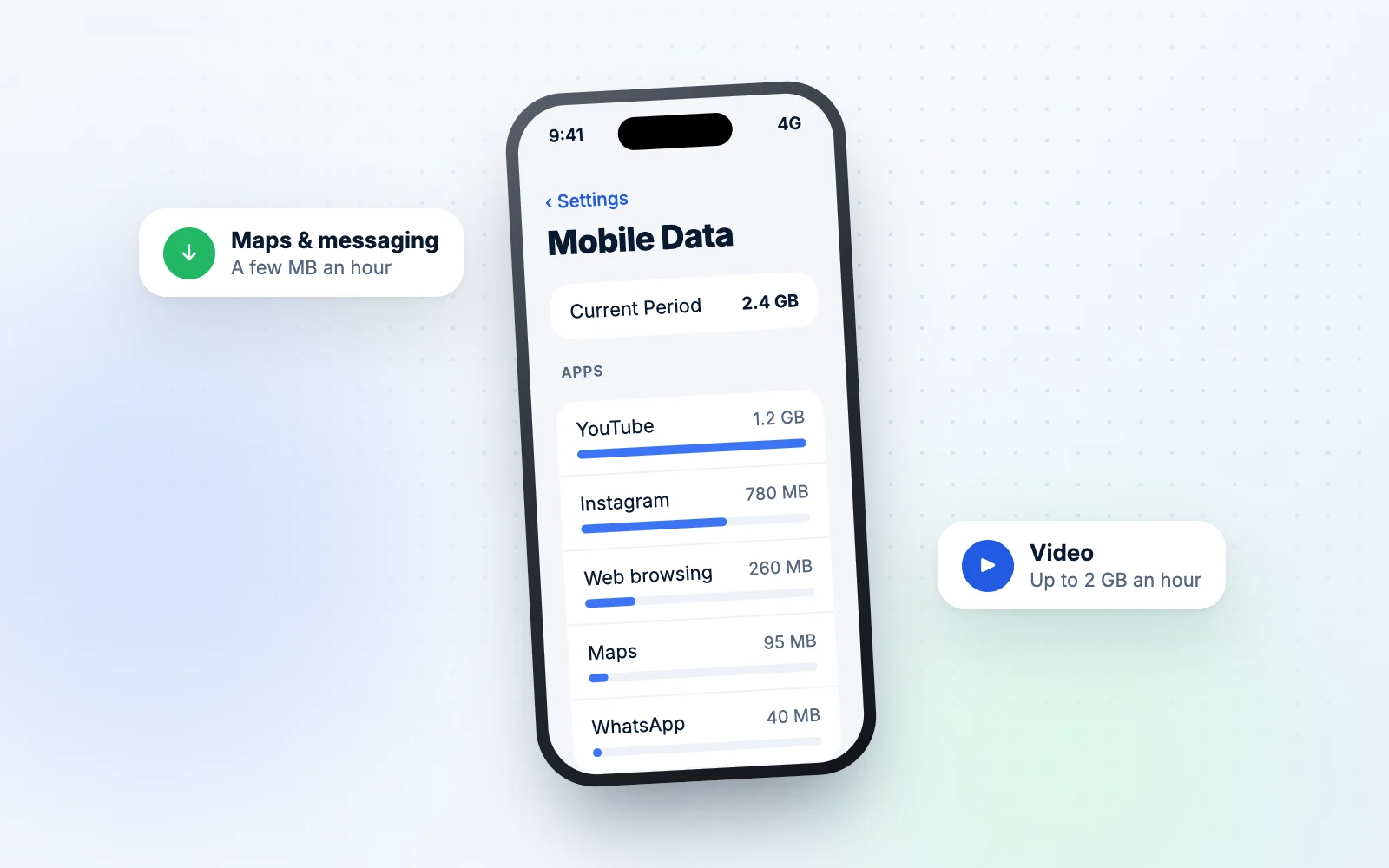
- Maps and messaging use very little data; video is what drives usage up.
- Light users need roughly 100–250 MB a day, moderate users 300–700 MB, and heavy users 1–3 GB.
- For a week, 3 GB suits light use, 5 GB moderate use and 20 GB or more heavy use.
- Download maps, music and shows on Wi-Fi before you go to make a smaller plan last.
"How much data do I need?" is the question behind almost every travel eSIM purchase. Buy too little and you're rationing maps by day three; buy too much and you've paid for gigabytes you never use.
The honest answer is that it depends on what you do on your phone, but the numbers aren't a mystery. This guide shows how much data common apps use, what a typical travel day adds up to, which plan size fits trips from a long weekend to a month, and how to make your data last.
All the figures here are estimates. Real use depends on your apps, their settings and video quality, so treat them as a starting point and adjust for your own habits.
How Much Data Popular Apps Use
The biggest surprise for most travelers is how little the essentials use. Maps, messaging and email barely register. Video is what drives your usage up.
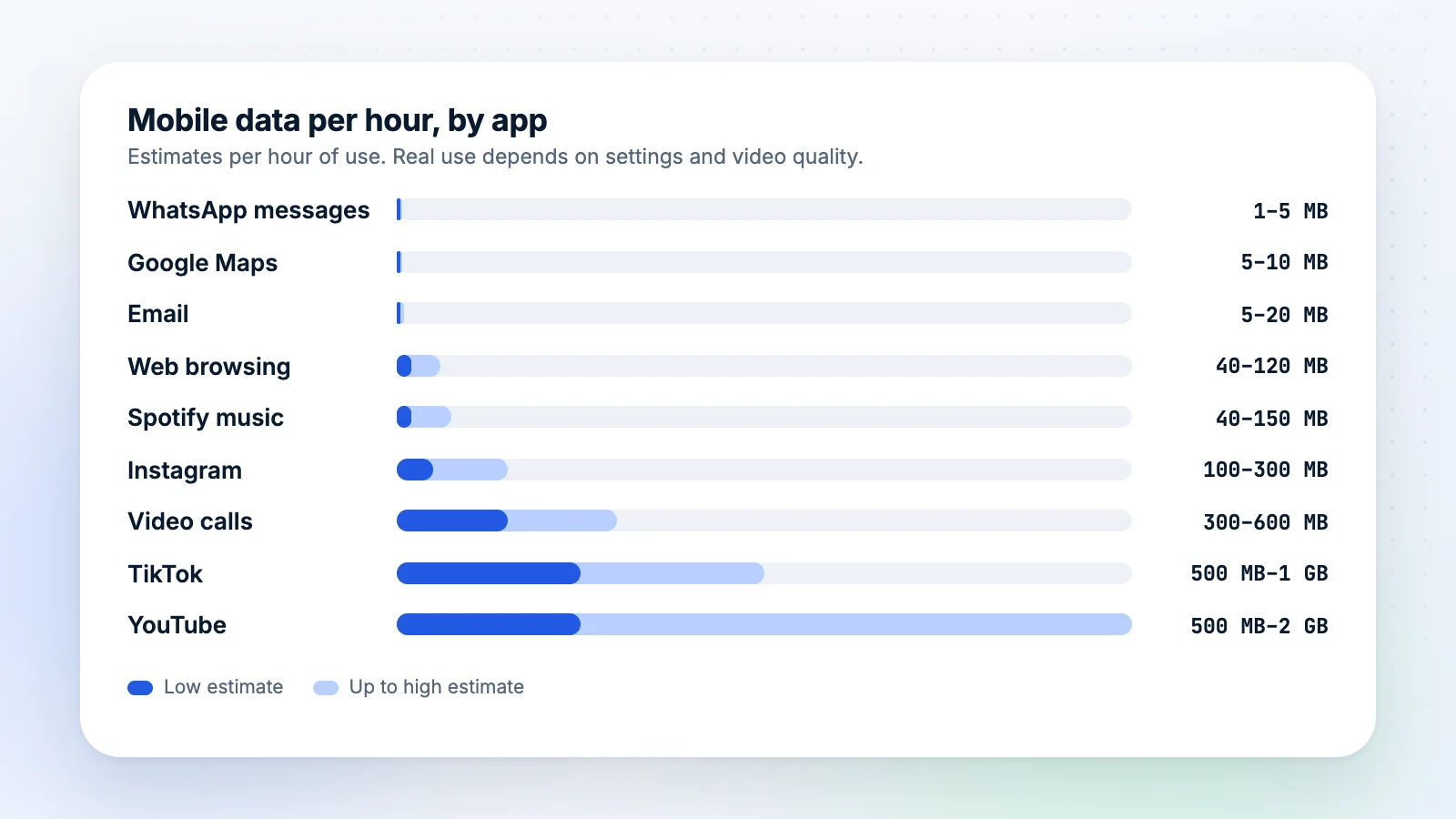
| App or activity | Data per hour (estimate) |
|---|---|
| WhatsApp messages and photos | 1–5 MB |
| Google Maps navigation | 5–10 MB |
| Email (few attachments) | 5–20 MB |
| Web browsing | 40–120 MB |
| Spotify music streaming | 40–150 MB |
| 100–300 MB | |
| Video calls | 300–600 MB |
| TikTok | 500 MB–1 GB |
| YouTube (SD to HD) | 500 MB–2 GB |
These are the same estimates our data usage calculator uses, where you can add up your own apps and hours.
A few things use more than people expect: photo and video backups to iCloud or Google Photos, app updates, and hotspot use, because a laptop on your connection downloads updates and syncs files in the background.
What a Typical Travel Day Adds Up To
Most travelers fall into one of three patterns:
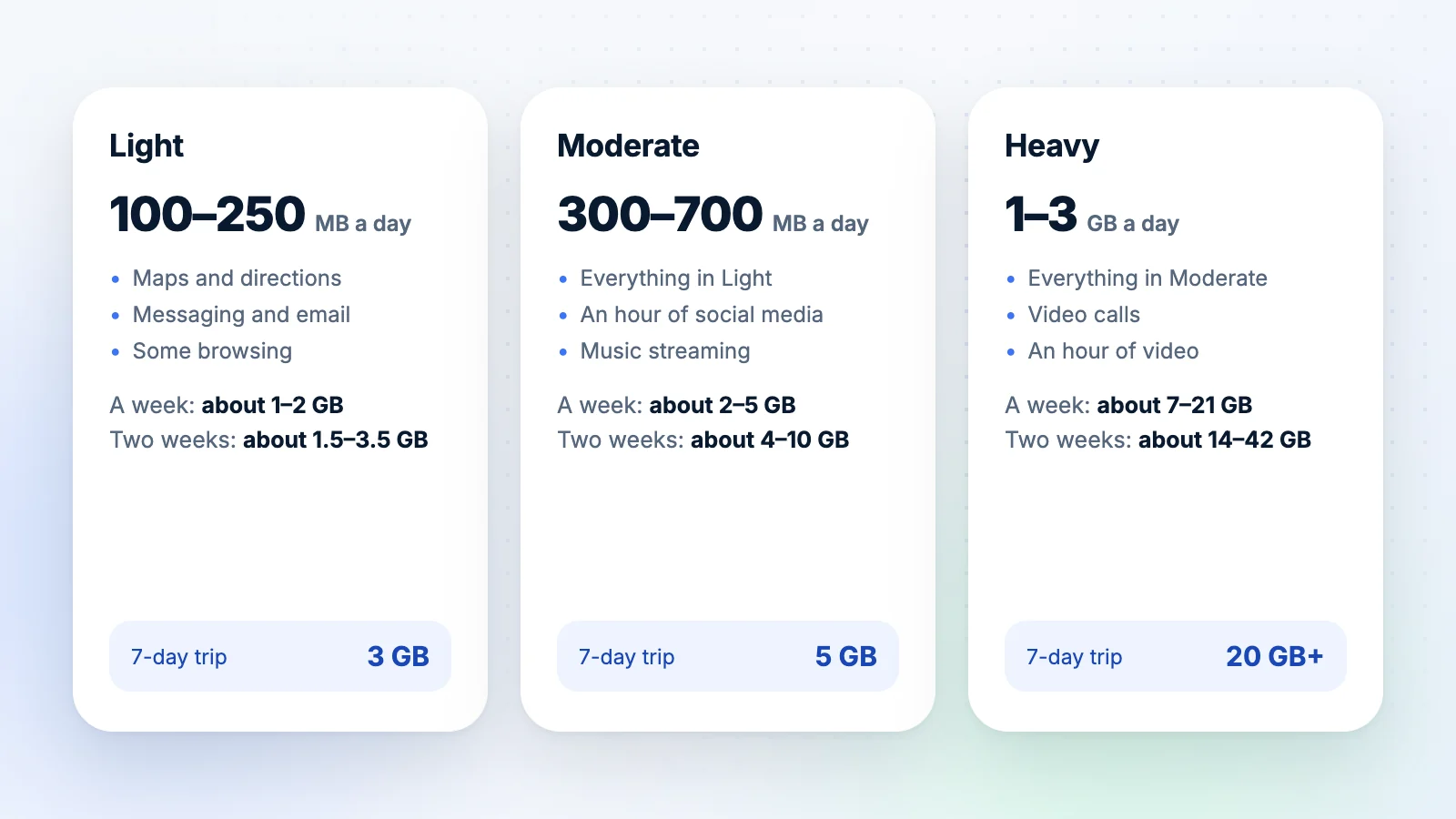
Light: about 100–250 MB a day. You use maps to get around, message friends and family, check email and look things up now and then. Most of your social media and video waits until you're back on hotel Wi-Fi.
Moderate: about 300–700 MB a day. Everything above, plus around an hour of social media and some music streaming while you're out. This is where most travelers end up.
Heavy: about 1–3 GB a day. Everything above, plus video calls home, short videos or YouTube, and perhaps sharing your connection with a laptop. Remote workers and families sharing one connection often land here.
Not sure which you are?
Your phone already knows. Check how much mobile data you used last month (see below), divide by the number of days, and remember that you'll probably use a little more abroad, where you rely on maps and have less Wi-Fi.
How Much Data for 3, 7, 14 and 30 Days
This table rounds each pattern up to a common plan size, with a buffer of about 20% so you don't run out on the last day:
| Trip length | Light | Moderate | Heavy |
|---|---|---|---|
| 3 days | 1 GB | 3 GB | 10 GB |
| 7 days | 3 GB | 5 GB | 20 GB |
| 14 days | 5 GB | 10 GB | 50 GB or unlimited |
| 30 days | 10 GB | 20 GB | Unlimited |
If you're between two sizes, the bigger one is usually the better buy: running out mid-trip costs more time and money than a slightly larger plan. If you're traveling with someone and only one of you will use mobile data, size the plan for that person.
How Much Mobile Data Do You Need for a 7-Day Trip?
A week is the most common trip length, so here's a closer look. For a 7-day trip, most travelers need about 3 GB for light use, 5 GB for moderate use, or 20 GB or more for heavy use.
Travel days usually use less data than sightseeing days, because you spend hours on a plane or on airport Wi-Fi. Here's how a typical week adds up for a moderate user:
| Day | What you're doing | Data (estimate) |
|---|---|---|
| Day 1: travel and arrival | Directions to your hotel, messages home, some browsing | About 300 MB |
| Days 2–6: out exploring | Maps, social media, music, sharing photos | About 500 MB a day, 2.5 GB in total |
| Day 7: heading home | Check-in, boarding pass, messages | About 200 MB |
| Whole week | About 3 GB |
That comes to about 3 GB, so a 5 GB plan leaves room for a video call or two and a busy day. If you know you'll stream video or share your connection with a laptop, go for 10 GB or more instead.
A quick rule for a week
Light user: 3 GB. Moderate user: 5 GB. Heavy user: 20 GB or unlimited. If you're not sure, choose the bigger plan: running out on day five is more of a hassle than a few unused gigabytes.
Check How Much Data You Use Now
The best predictor of your travel use is your normal use. Here's where to find it:
- iPhone: Settings → Mobile Service (or Cellular). Scroll down to see how much data each app has used during the current period. To measure a typical week, tap Reset Statistics at the bottom, then check again in seven days.
- Samsung Galaxy: Settings → Connections → Data usage → Mobile data usage.
- Google Pixel and other Android phones: Settings → Network & internet → SIMs (or Data usage) → App data usage.
Divide the total by the number of days to get your daily average. At home you're probably on Wi-Fi a lot, so add a buffer for travel days when you're out and about.
8 Ways to Make Your Data Last
A few minutes of preparation can cut your data use by half or more:
- Download offline maps for the cities you're visiting. In Google Maps, tap your profile picture → Offline maps. Apple Maps on recent iOS versions also offers offline maps.
- Download music, podcasts and shows on Wi-Fi before you go, rather than streaming them on the move.
- Turn off video autoplay in social media apps, and use their data-saving settings where they have them.
- Turn on Low Data Mode (iPhone) or Data Saver (Android) for the travel line to pause background updates.
- Stop photo backups over mobile data. Set iCloud Photos or Google Photos to back up on Wi-Fi only.
- Turn off automatic app updates over mobile data, so updates wait for Wi-Fi.
- Save video calls for Wi-Fi when you can. An hour-long video call can use as much as a week of maps and messages.
- Watch your hotspot. If you share your connection with a laptop, pause cloud syncing and system updates first.
What About Unlimited Plans?
Unlimited plans are a good fit for heavy users and long trips, but read the details before you buy. Many have a fair-use limit, after which the speed drops for the rest of the day or the plan. Some also limit or exclude hotspot use. If you plan to share your connection with a laptop, check that the plan allows it.
Plan Your Data for This Trip
Here's the quick version:
- Pick your pattern: light, moderate or heavy.
- Find your trip length in the table above, or use our data usage calculator for a closer estimate based on your apps.
- Choose a plan at least that size for your destination, and download maps and media on Wi-Fi before you go.
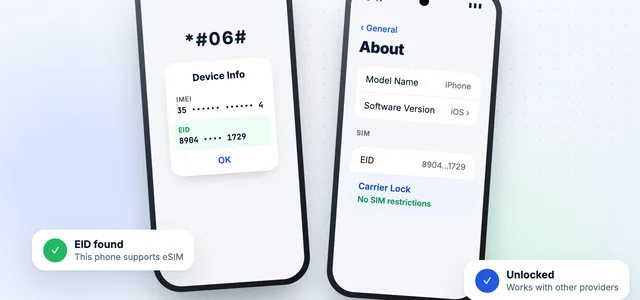
Before you buy, make sure your phone supports eSIM and isn't locked to your carrier.
Frequently asked questions
Is 1GB of data enough for a week?
For very light use, sometimes. Maps, messaging and email come to roughly 100–150 MB a day, which fits in 1 GB for a week. Add social media, music or video and you'll need more, usually 3 to 5 GB.
How much data does Google Maps use?
About 5–10 MB an hour while navigating. Downloading offline maps on Wi-Fi before you travel cuts that further.
How much data does a video call use?
Roughly 300–600 MB an hour, depending on the app and video quality. Audio-only calls use far less.
How much data do I need for a 7-day trip?
Most travelers need about 3 GB for light use, 5 GB for moderate use with social media and music, or 20 GB or more if they stream video or work online. A 5 GB plan suits most one-week trips.
Is 3GB enough for a week?
For light to moderate use, usually yes: 3 GB is about 430 MB a day. If you use social media for more than an hour a day or make video calls on mobile data, choose 5 GB instead.
Is 5GB enough for two weeks?
For light use, about 350 MB a day, yes. If you use social media every day or watch videos on mobile data, 10 GB is a safer choice for two weeks.
What happens if I run out of data?
Most travel eSIMs stop connecting or slow right down when the data runs out. You can usually buy another plan and keep going. Keep an eye on how much is left so it doesn't catch you out.
Next step
Estimate your data
Add up your own apps and hours with our data usage calculator.
Estimate your dataData Roaming Editorial Team
We write practical, plain-English guides about using your phone abroad. Roaming prices and rules change, so we update guides regularly — always confirm current terms with your carrier. About our editorial approach



 Europe
 USA
 Japan
 France eSIM
 Spain eSIM
 Italy eSIM
 Dubai eSIM
 UK eSIM
 Turkey eSIM