
Does My Phone Support eSIM? How to Check in 1 Minute
Three quick ways to check whether your iPhone or Android phone supports eSIM, how to tell if it's unlocked, and what to do if it isn't compatible.
Quick answer
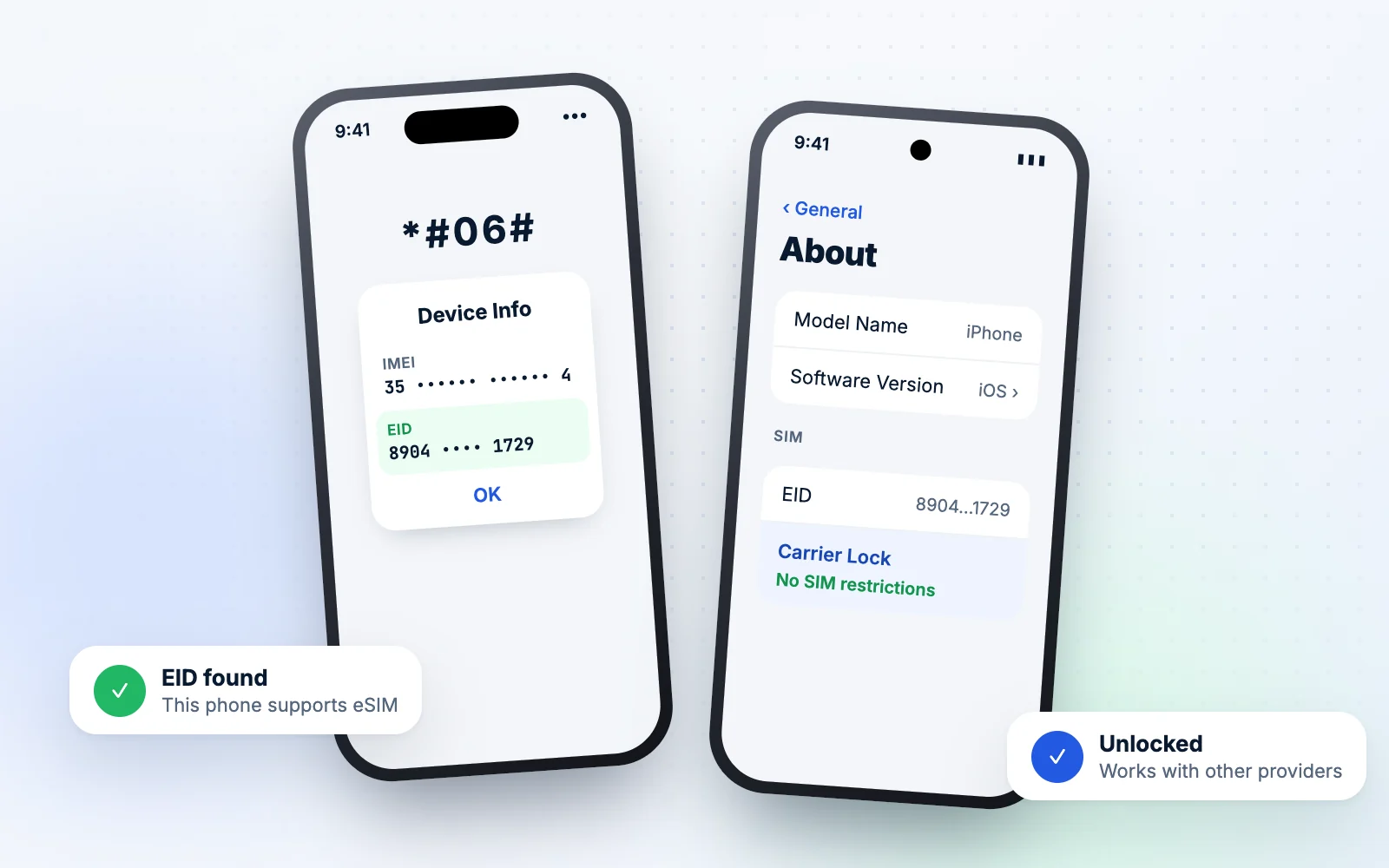
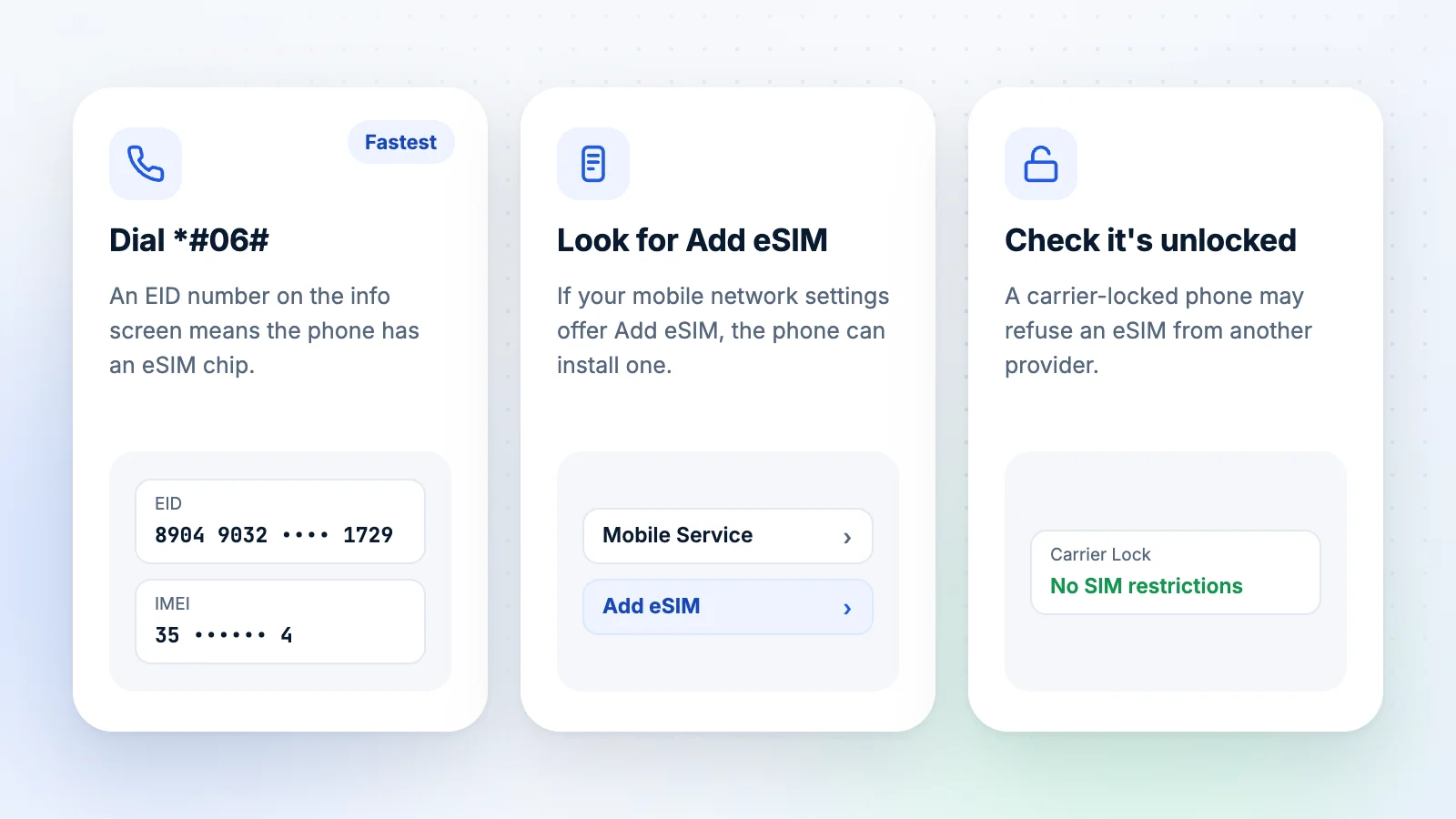
- Dial *#06#: if an EID number appears, your phone has an eSIM chip.
- Look for Add eSIM in your mobile network settings; if it's there, the phone can install one.
- Your phone must also be unlocked, or it may refuse an eSIM from another provider.
- Most iPhones since the XS and XR, most Google Pixels and recent Samsung Galaxy flagships support eSIM, but regional models vary.
Before you buy a travel eSIM, it's worth spending one minute on two questions: does my phone support eSIM, and is it unlocked? Both are quick to check, and getting them right is the difference between being online when you land and hunting for airport Wi-Fi.
This guide shows three ways to check on iPhone and Android, how to tell whether your phone is locked to a carrier, which phones generally support eSIM, and what to do if yours doesn't.
The 1-Minute Check: Dial *#06#
The fastest test works on almost any phone:
- Open the Phone app, the one you use to make calls.
- Type *#06# on the keypad. On most phones the information appears straight away; on some you'll need to press call.
- Look at the screen that appears. No call is made.
If you see an EID (a long number, usually 32 digits), your phone has an eSIM chip. If you only see an IMEI number, your phone probably doesn't support eSIM, but check the settings method below before you give up: a few Android phones don't show the EID here even when they do support eSIM.
What the EID is for
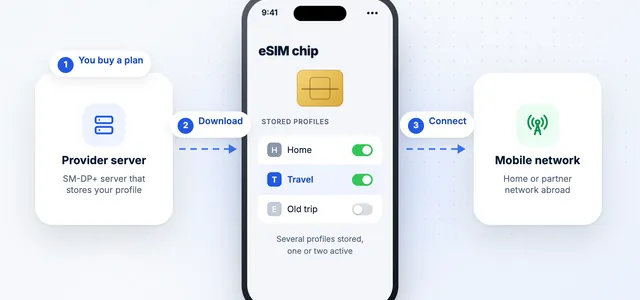
The EID (eUICC identifier) identifies the eSIM chip inside your phone, a little like a serial number. You don't need to share it to buy a travel eSIM. It's just a reliable sign that the chip is there.
Check Your Settings for "Add eSIM"
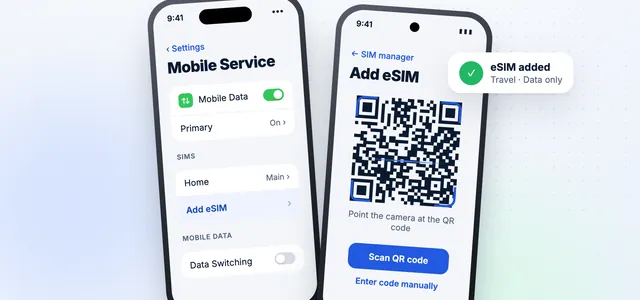
If your phone can install an eSIM, its mobile network settings offer an option to add one. You don't need to go through with it; just see whether the option is there.
| Phone | Where to look |
|---|---|
| iPhone | Settings → Mobile Service (or Cellular) → Add eSIM |
| Samsung Galaxy | Settings → Connections → SIM manager → Add eSIM |
| Google Pixel | Settings → Network & internet → SIMs → Add SIM → Download a SIM instead |
| Other Android phones | Settings → Mobile network (or Connections) → SIMs or SIM manager → look for eSIM |
On iPhone, you can also open Settings → General → About and scroll down. If an EID is listed there, your iPhone supports eSIM.
Menu names change a little between software versions and countries, so if you can't find the exact wording, search your settings for "eSIM".
Is Your Phone Unlocked?
A phone that supports eSIM can still refuse a travel eSIM if it's locked to your carrier. Carriers sometimes lock phones sold on a contract or payment plan so they only work with that carrier's SIMs and eSIMs.
On iPhone: go to Settings → General → About and find Carrier Lock. "No SIM restrictions" means your iPhone is unlocked. Anything else, such as "SIM locked", means it's locked.
On Android: there's no single setting that works on every phone. The most reliable ways to check are:
- Ask your carrier, or check your account in its app or website.
- Borrow a SIM from a different carrier and put it in your phone. If it connects, your phone is unlocked.
If your phone is locked, your carrier can usually unlock it once the phone is paid off or your contract allows it. Rules differ by carrier and country, so ask before you travel: unlocking can take a few days.
Check before you buy
Many eSIMs can only be installed once, so a locked phone can leave you with a code you can't use. If you've already bought one from us and haven't installed it, see our Refund Policy.
Which Phones Support eSIM?
Lists of compatible phones go out of date quickly, and support can depend on where the phone was sold, which is why the checks above are more reliable than any list. As a general guide:
| Brand | eSIM support (general guide) |
|---|---|
| Apple iPhone | iPhone XS, XS Max and XR, and every iPhone since. iPhone 14 and later models sold in the US have no SIM card tray at all. |
| Google Pixel | Most models from the Pixel 3 onward, with some exceptions for models sold in certain countries. |
| Samsung Galaxy | Galaxy S20 and later flagship models, and the Galaxy Z Fold and Z Flip series. Only some Galaxy A models support it, and support can depend on the country of sale. |
| Other Android brands | Many recent flagship phones from brands such as Motorola, OnePlus, Xiaomi and Oppo, but often only certain models or regional versions. |
Regional versions matter. For example, many iPhones sold in mainland China use two physical SIM cards instead of eSIM, and some Android models are sold with eSIM in one country and without it in another. If you bought your phone abroad or second-hand, check rather than assume.
Your phone can probably use both
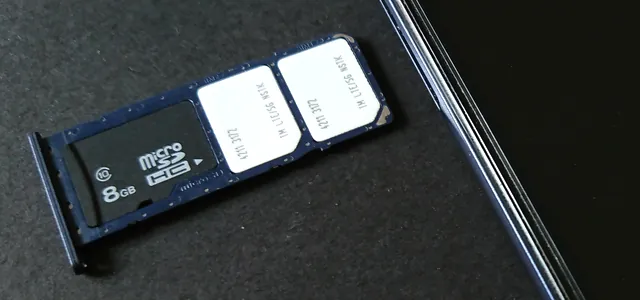
Most phones that support eSIM also keep a physical SIM slot, and can use both at once. That means you can keep your home number on your regular SIM for calls and texts, and use a travel eSIM for data.
What If Your Phone Doesn't Support eSIM?
You still have good options for staying connected abroad:
- A local physical SIM card. Buy one at the airport or in a shop at your destination. Your phone still needs to be unlocked, and you may need your passport.
- Your carrier's roaming plan. Often the simplest, sometimes the most expensive. Our roaming calculator helps you estimate what it would cost.
- A pocket Wi-Fi device. A small router you carry around, which can be good value for groups who stay together.
- Wi-Fi only. Fine for short trips if you download maps and plan ahead, but you'll be offline between hotspots.
Our comparison of roaming, eSIM and local SIM sets out the pros and cons of each.
Your Phone Supports eSIM: What Next?
Once you've confirmed your phone supports eSIM and is unlocked:
- Choose a plan for where you're going, with enough data for your trip. Our guide to how much data you need helps you size it.
- Install it at home on Wi-Fi, a day or two before you fly. Our step-by-step install guide covers iPhone and Android.
- Keep your home SIM for calls and texts, and set the travel eSIM as your mobile data line when you arrive.
Frequently asked questions
How do I know if my phone supports eSIM?
Dial *#06# on your phone's keypad. If an EID number appears, your phone supports eSIM. You can also look for an Add eSIM option in your mobile network settings.
What is an EID number?
The EID (eUICC identifier) is a long number, usually 32 digits, that identifies the eSIM chip in your phone. If your phone shows one, it supports eSIM. You don't need to share it to buy a travel eSIM.
Can I use an eSIM on a locked phone?
Usually only an eSIM from the carrier the phone is locked to. To use a travel eSIM from another provider, the phone needs to be unlocked. Your carrier can tell you whether it is, and how to unlock it.
Does my phone need a SIM card slot to use an eSIM?
No. The eSIM is built into the phone. Most eSIM phones also keep a physical SIM slot, and some newer phones, such as iPhone 14 and later sold in the US, have no slot at all.
Can I keep my regular SIM when I add a travel eSIM?
Yes, on most phones that support eSIM. Keep your home SIM on for calls and texts, and set the travel eSIM as your mobile data line while you're away.
Next step
Find an eSIM for your trip
Compare travel eSIM plans by destination, data and validity.
Find an eSIM for your tripData Roaming Editorial Team
We write practical, plain-English guides about using your phone abroad. Roaming prices and rules change, so we update guides regularly — always confirm current terms with your carrier. About our editorial approach
 Europe
 USA
 Japan
 France eSIM
 Spain eSIM
 Italy eSIM
 Dubai eSIM
 UK eSIM
 Turkey eSIM