
How to Get Internet Abroad Without Paying Roaming Charges
Travel eSIM, local SIM, portable Wi-Fi, carrier day pass or free Wi-Fi? How each way to get online abroad works, what it costs you, and which suits your trip.
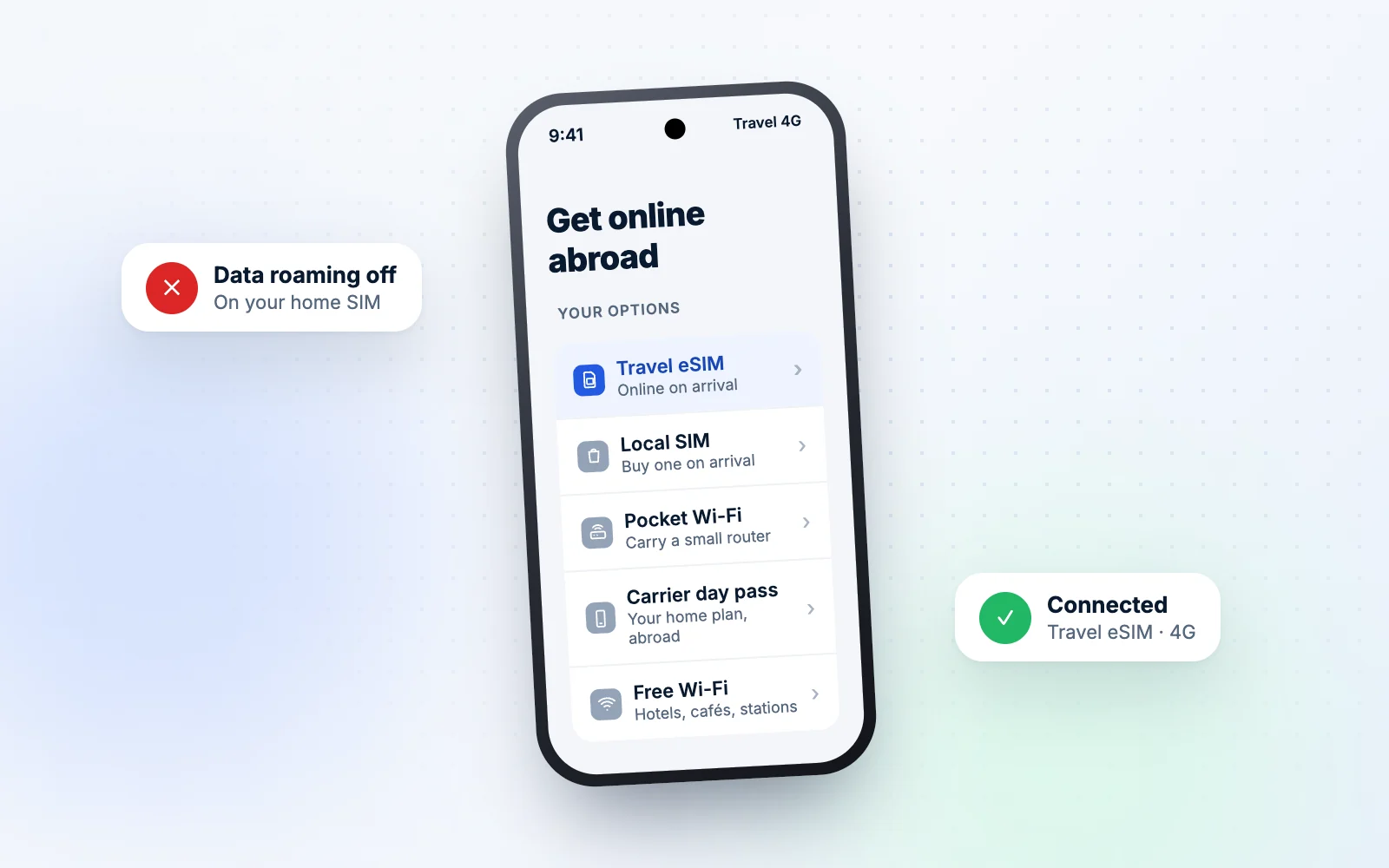
Quick answer
- A travel eSIM is the simplest way for most travelers: install it before you go and it connects when you land.
- Portable Wi-Fi suits groups who stay together; a local SIM suits long stays in one country.
- Carrier day passes are convenient but often cost the most per day; free Wi-Fi works best as a backup.
- Whatever you choose, turn off data roaming on your home SIM before you fly.
Roaming with your home carrier is the easiest way to stay online abroad, and often the most expensive. The good news is that there are four other ways to get internet abroad, and at least one of them will suit your trip better.
This guide compares all five: a travel eSIM, a local SIM card, portable Wi-Fi, your carrier's day pass and free Wi-Fi. It covers how each works, what it costs you in time and money, and which to choose for your kind of trip. If you're looking for the phone settings that stop surprise charges, our roaming charges checklist covers those step by step.
The Short Answer
For most trips with an unlocked phone that supports eSIM, a travel eSIM is the simplest way to get internet abroad without roaming charges: you install it before you leave, it connects when you land, and your home SIM stays in the phone for calls and texts.
Groups who spend all day together can save with portable Wi-Fi, long stays in one country often suit a local SIM, and a carrier day pass makes sense when convenience matters more than price. Free Wi-Fi is a useful backup, but rarely enough on its own.
5 Ways to Get Internet Abroad, Compared
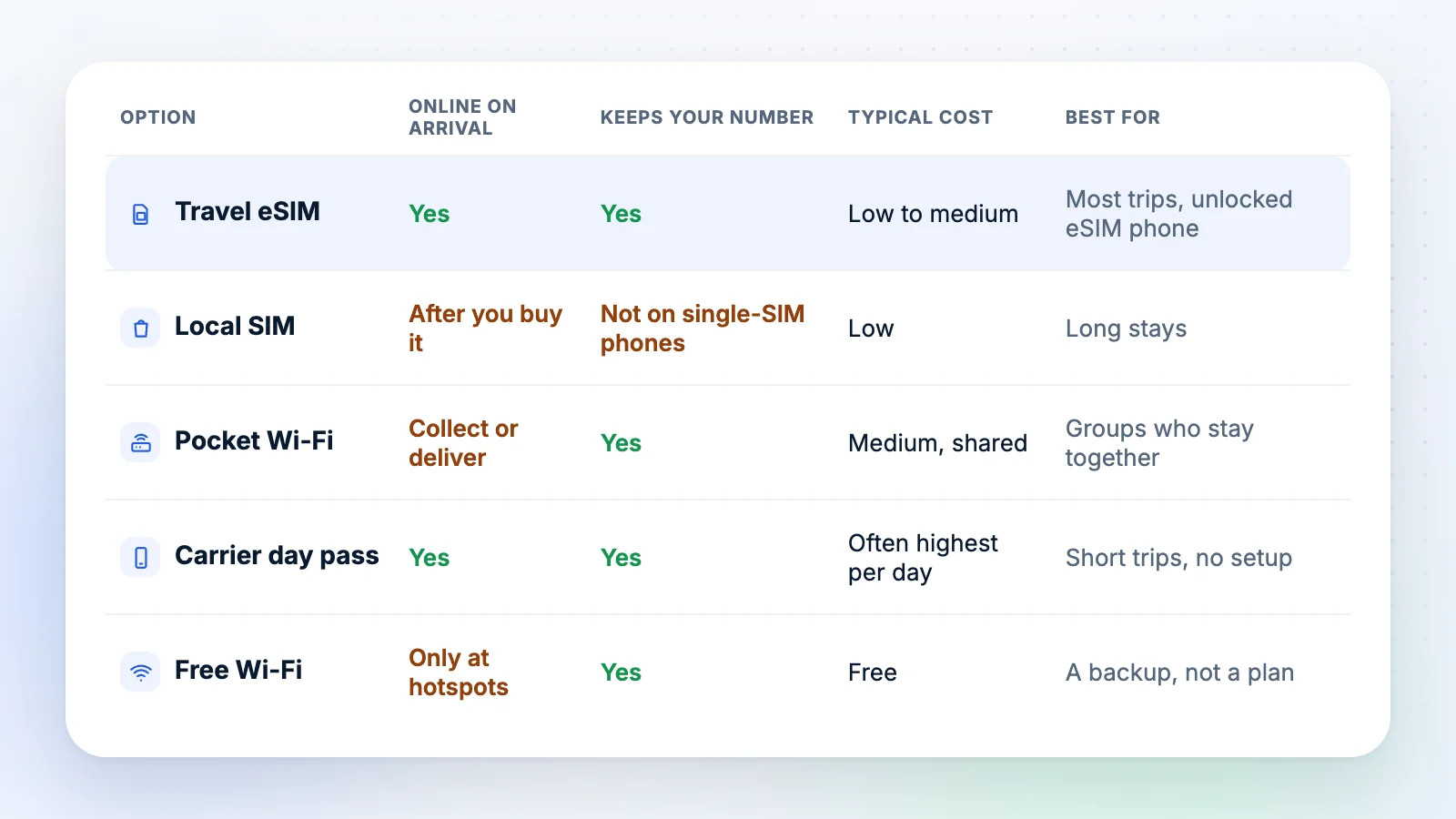
1. A travel eSIM
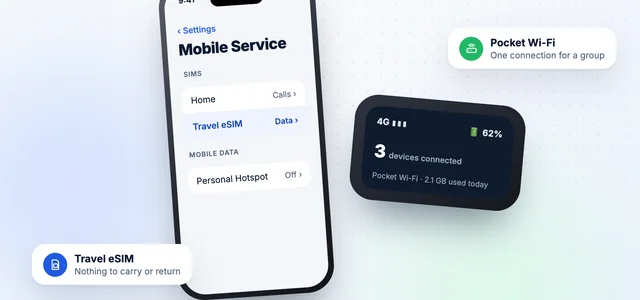
You buy a data plan online, install it over Wi-Fi before you travel, and switch it on when you arrive. Your phone uses it for data while your regular SIM stays in place for calls and texts.
- Good: online as soon as you land, no shop visit, nothing to carry, and your home number keeps working.
- Watch out for: your phone needs to support eSIM and be unlocked, and most travel eSIMs are data-only, so they don't include a local phone number.
- Best for: most trips of a few days to a few weeks.
2. A local SIM card
You buy a prepaid SIM at the airport or a phone shop in your destination and put it in your phone.
- Good: often good value for long stays, and you get a local number for bookings and deliveries.
- Watch out for: time spent finding a shop after a long flight, ID or passport registration in many countries, and an unlocked phone. On a single-SIM phone, it replaces your home SIM, so texts to your normal number, including bank security codes, won't reach you.
- Best for: stays of a month or more in one country.
3. Portable Wi-Fi
Also called pocket Wi-Fi or MiFi, this is a small battery-powered router you rent, usually picked up at the airport or delivered to your hotel, and return at the end of the trip.
- Good: several phones, tablets and laptops can share one connection, and it works with any Wi-Fi device.
- Watch out for: one more device to charge and carry, everyone needs to stay close to it, and you'll need to return it on time. Our travel eSIM vs portable Wi-Fi comparison goes into the details.
- Best for: families and groups who stay together.
4. Your carrier's day pass
Many carriers sell a daily or weekly roaming pass that lets you use your normal plan abroad for a fixed price.
- Good: no setup at all, and everything works as it does at home.
- Watch out for: the price, which often adds up to more than the other options over a week or longer, and data limits or slower speeds after a certain amount. Our roaming calculator shows what a day pass would cost for your trip next to a travel eSIM.
- Best for: short trips, or when someone else is paying the bill.
5. Free Wi-Fi
Hotels, cafés, airports, train stations and many tourist sites offer free Wi-Fi.
- Good: it costs nothing.
- Watch out for: gaps between hotspots, sign-up pages, slow connections at busy times, and security. Avoid logging in to your bank or entering card details on open networks.
- Best for: a backup, and for big downloads like maps, shows and app updates.
Which Option Fits Your Trip?

| Your trip | Usually the best fit |
|---|---|
| A week or two, one or two people, an eSIM phone | Travel eSIM |
| A family or group that stays together all day | Portable Wi-Fi, or an eSIM each if you'll split up |
| Several months in one country | Local SIM |
| A short work trip where roaming is paid for | Carrier day pass |
| A phone that doesn't support eSIM | Local SIM or portable Wi-Fi |
| Mostly in hotels with little time out | Free Wi-Fi, plus offline maps |
| Several countries in one trip | A regional travel eSIM that covers every stop |
Whatever You Choose: Switch Off Roaming on Your Home SIM
Even with a travel eSIM or portable Wi-Fi, your home SIM can still use data abroad if its settings allow it. Before you fly:
- Turn off data roaming on your home SIM. Our guide shows how to turn off data roaming on iPhone and Android.
- Turn off automatic data switching, so your phone doesn't fall back to your home SIM when the other connection is weak.
- Check your carrier's rates for calls and texts, if you'll keep your home number switched on.
The home SIM is the one to watch
Leaving data roaming on for your home SIM is the most common cause of surprise bills, even for travelers who've bought another way to get online. Switch it off before you take off.
How Much Data Will You Need?
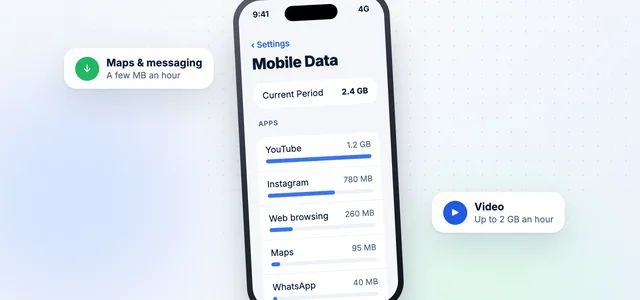
For most travelers, somewhere between 300 MB and 700 MB a day covers maps, messaging, browsing and some social media. Video calls and streaming push that up quickly. Our guide to how much data you need has plan sizes for trips from three days to a month.
The Bottom Line
You don't need to pay roaming charges to stay connected abroad. For most travelers, a travel eSIM gives the best mix of price and convenience; portable Wi-Fi suits groups, a local SIM suits long stays, and free Wi-Fi works best as a backup. Whichever you pick, switch off data roaming on your home SIM before you go.
Frequently asked questions
What is the cheapest way to get internet abroad?
Free Wi-Fi costs nothing but leaves gaps between hotspots. For mobile data, a local SIM is often cheapest for long stays, and a travel eSIM for trips of a few days to a few weeks. Carrier day passes usually cost the most per day.
Can I use my phone abroad without roaming charges?
Yes. Turn off data roaming on your home SIM and get your data from Wi-Fi or a travel eSIM instead. Calls and texts on your normal number can still be charged at roaming rates, so check your carrier's prices.
Do I need to remove my SIM card to use a travel eSIM?
No. A travel eSIM is added alongside your SIM. Most phones that support eSIM can use both, with your SIM for calls and texts and the eSIM for data.
Is it safe to use free Wi-Fi abroad?
It's generally fine for maps, browsing and messaging. Avoid logging in to your bank or entering card details on open networks, and wait until you're on mobile data or a secured network.
Is portable Wi-Fi better than an eSIM?
For groups who stay together, portable Wi-Fi can cost less overall. For solo travelers and couples, an eSIM is usually simpler, with nothing to carry, charge or return.
Next step
Find an eSIM for your trip
Compare travel eSIM plans by destination, data and validity.
Find an eSIM for your tripData Roaming Editorial Team
We write practical, plain-English guides about using your phone abroad. Roaming prices and rules change, so we update guides regularly — always confirm current terms with your carrier. About our editorial approach

 Europe
 USA
 Japan
 France eSIM
 Spain eSIM
 Italy eSIM
 Dubai eSIM
 UK eSIM
 Turkey eSIM