
Can You Use WhatsApp Without Data Roaming?
WhatsApp works with data roaming off, on Wi-Fi or with a travel eSIM, and keeps your usual number. How to set it up, what calls cost and what to check first.
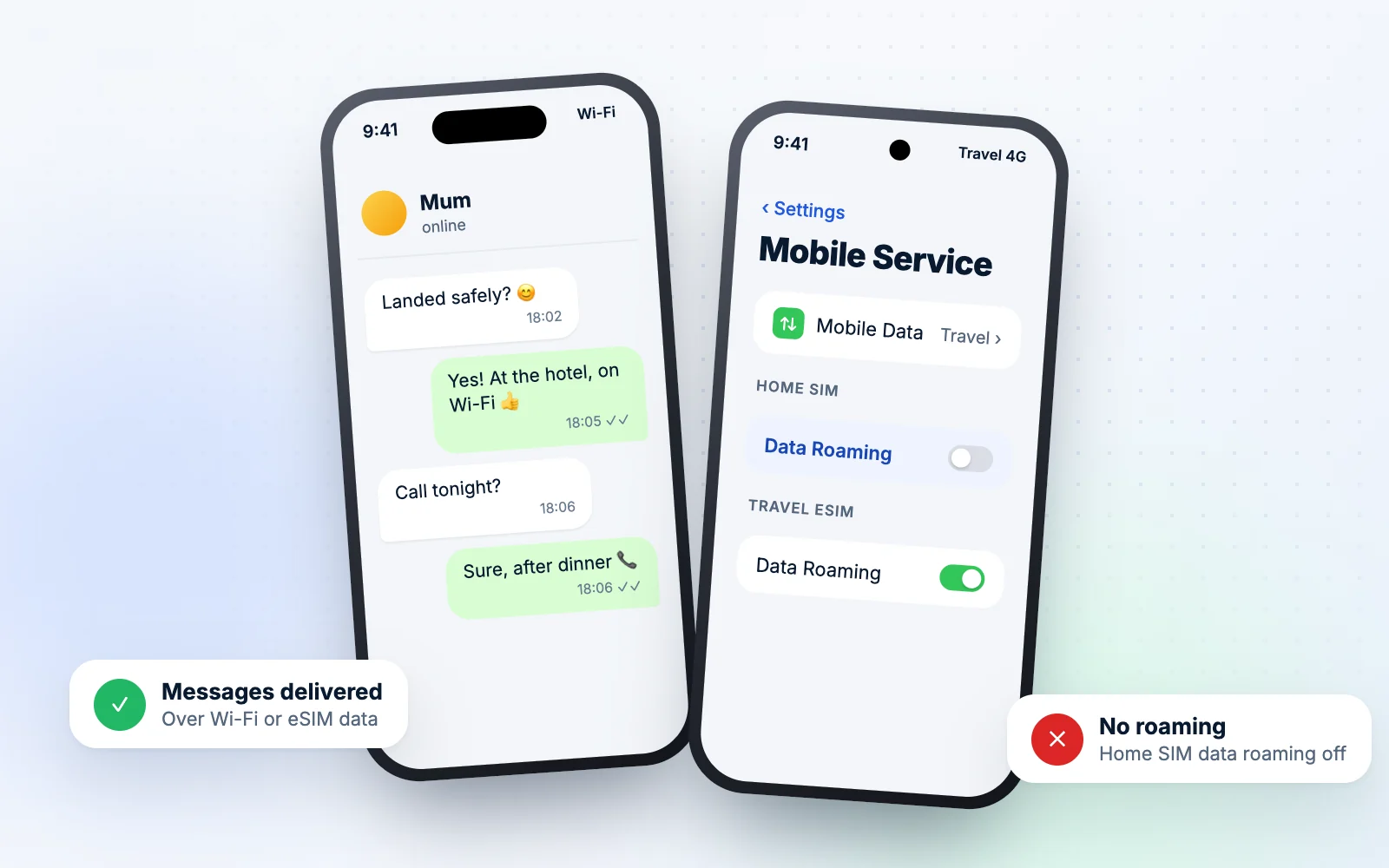
Quick answer
- WhatsApp works over any internet connection, so it keeps working with data roaming turned off.
- Use it on Wi-Fi, or with a travel eSIM for data everywhere; your WhatsApp number doesn't change.
- WhatsApp calls use data, not minutes: free on Wi-Fi, from your data allowance on an eSIM.
- Keep your home SIM in the phone and don't reinstall WhatsApp abroad, or you may not get the verification code.
Can you use WhatsApp without data roaming? Yes. WhatsApp works over any internet connection, so you can keep messaging and calling with data roaming switched off, as long as you're on Wi-Fi or getting data from somewhere else, such as a travel eSIM. Your WhatsApp number stays the same, so your contacts won't notice a thing.
This guide explains why that works, the two ways to set it up, what happens with WhatsApp calls, and the settings to check so you don't run up roaming charges or get locked out of your account while you're away.
The Short Answer
Turn off data roaming on your home SIM to avoid charges. Then use WhatsApp:
- on Wi-Fi, in your hotel, cafés and airports, or
- with a travel eSIM, which gives you mobile data everywhere at a fixed, prepaid price.
Either way, WhatsApp keeps using your usual phone number.
Why WhatsApp Works Without Roaming
WhatsApp sends messages, photos and calls over the internet, not over your carrier's calling and texting network. Your phone number identifies your account, but once WhatsApp is set up it doesn't need that SIM to provide the data. Any internet connection will do.
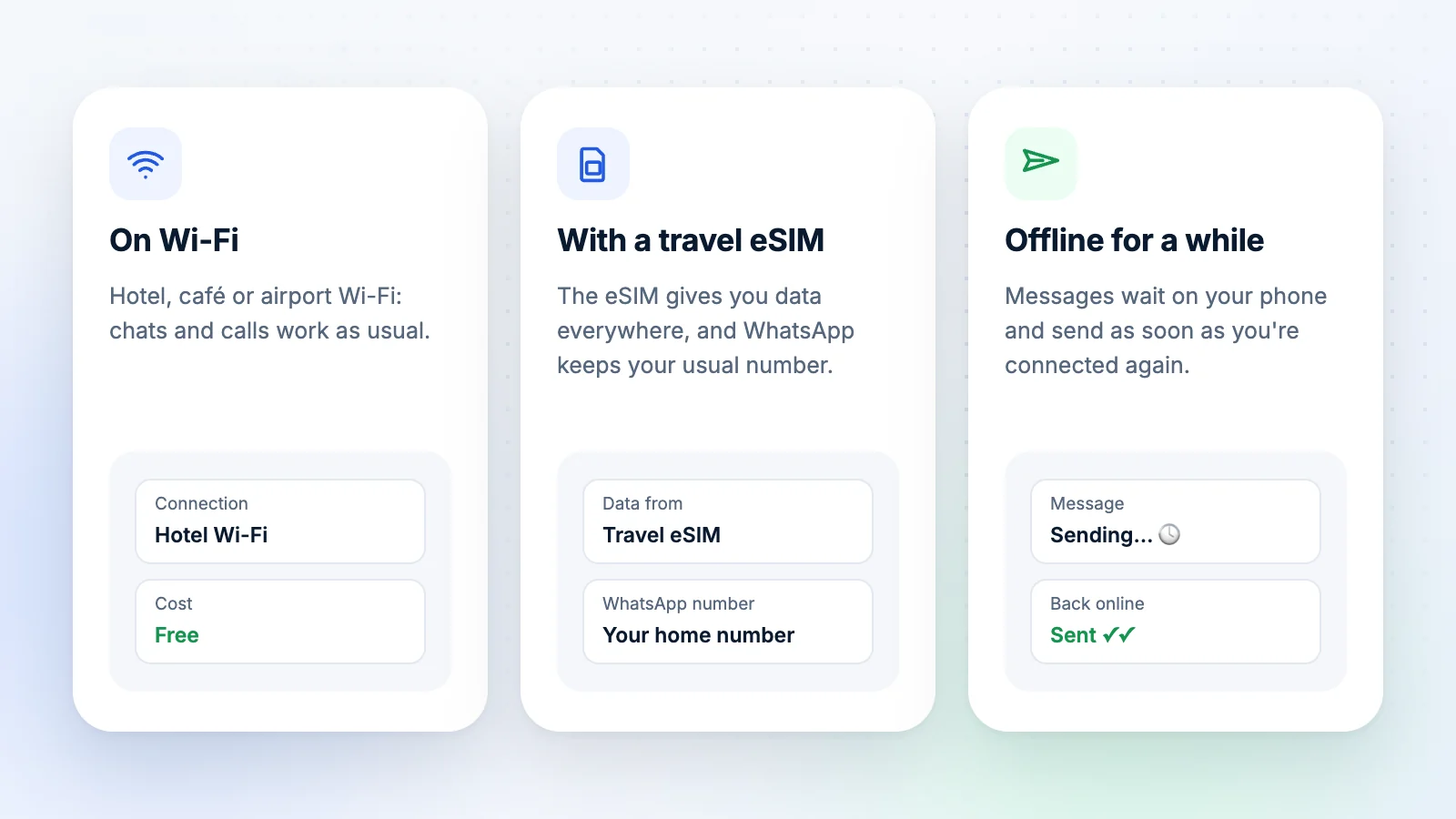
That's why turning off data roaming doesn't break WhatsApp. It just means your home SIM won't provide the internet connection abroad.
Option 1: Use WhatsApp on Wi-Fi Only
This costs nothing and needs no extra setup.
- Before you travel, turn off data roaming for your home SIM. Our guide shows how to turn off data roaming on iPhone and Android.
- When you arrive, connect to Wi-Fi at your hotel, a café or the airport.
- WhatsApp connects and delivers any waiting messages.
The catch is that you're only reachable on WhatsApp while you're on Wi-Fi. Messages sent to you while you're out arrive when you next connect, and you can't use maps or look things up in between. For a short city break with good hotel Wi-Fi that can be fine; for most trips, it's limiting.
Option 2: Use a Travel eSIM for Data
A travel eSIM gives you mobile data everywhere, so WhatsApp works on the street, on trains and in taxis, just as it does at home.
- Install the travel eSIM before you leave. Our step-by-step install guide covers iPhone and Android.
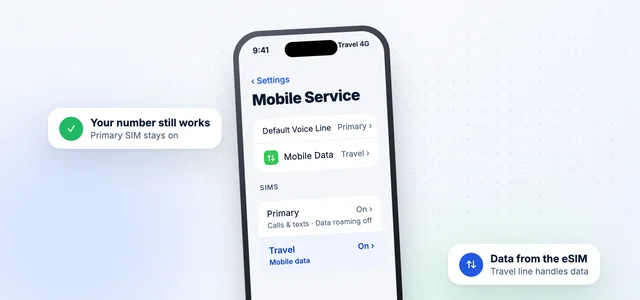
- When you arrive, set the travel eSIM as your mobile data line and turn on data roaming for the eSIM only.
- Keep your home SIM switched on for calls and texts, with its data roaming off.
WhatsApp keeps using your home number, because your account stays the same; only the internet connection comes from the eSIM. Our guide to what happens to your primary SIM explains how the two lines work together.
Roaming on a travel eSIM doesn't mean roaming charges
Many travel eSIMs connect through partner networks, so your phone treats them as roaming. The data is prepaid, so the switch doesn't add charges. Our article on eSIM roaming explains why.
What About WhatsApp Calls?
WhatsApp voice and video calls use data, not your call minutes. On Wi-Fi they're free; on a travel eSIM they come out of your data allowance:
- Voice calls use relatively little data.
- Video calls use much more: roughly 300–600 MB an hour, depending on video quality.
Calls you make or receive on your normal phone number, outside WhatsApp, are different. They go through your home carrier and can be charged at roaming rates, even with data roaming off.
Settings to Check Before You Travel

- Media auto-download. In WhatsApp, go to Settings → Storage and data → Media auto-download, and choose Wi-Fi only for photos, audio, videos and documents. This stops large files from using your data.
- Use less data for calls. If your version of WhatsApp has this option under Storage and data, turn it on to reduce data use on calls.
- Chat backups. Set backups to run on Wi-Fi only, so a large backup doesn't start on mobile data.
- Two-step verification. In Settings → Account → Two-step verification, set a PIN, and make sure you remember it.
Keep your home SIM in your phone
If you reinstall WhatsApp or move it to a new phone, it sends a verification code to your number by text or call. If your home SIM is switched off or not in the phone, you may not receive it. Avoid reinstalling WhatsApp while you're away, and keep your home SIM in the phone.
Will Normal Texts and Calls Still Reach You?
Turning off data roaming only stops your home SIM from using internet data. If the line is switched on, normal calls and texts to your number still reach you abroad. Your carrier may charge for incoming calls and for texts you send while roaming; receiving texts is often free, but check your carrier's rates.
Keeping the line on is useful for one-time passcodes from your bank. If you'd rather avoid any charges at all, you can switch the home line off completely, but then calls and texts won't reach you until you switch it back on.
Quick Checklist
- Turn off data roaming on your home SIM.
- Install a travel eSIM, or plan to rely on Wi-Fi.
- Set WhatsApp media auto-download to Wi-Fi only.
- Set up two-step verification.
- Keep your home SIM in the phone, and don't reinstall WhatsApp while you're away.
Frequently asked questions
Does WhatsApp work without data roaming?
Yes. WhatsApp only needs an internet connection, so it works on Wi-Fi or with data from a travel eSIM, even with data roaming turned off on your home SIM.
Will my WhatsApp number change if I use a travel eSIM?
No. Your WhatsApp account stays linked to your usual number. The travel eSIM only provides the internet connection.
Do WhatsApp calls cost money abroad?
Not on Wi-Fi. On mobile data, they use your data allowance rather than call minutes. Video calls use much more data than voice calls.
Can I receive WhatsApp messages with data roaming off?
Yes, whenever you're connected to Wi-Fi or another data line such as a travel eSIM. If you're offline, messages arrive as soon as you reconnect.
Do I need my SIM card for WhatsApp to work?
Not for everyday use once it's set up. You do need access to your number to receive the verification code if you reinstall WhatsApp or move it to a new phone.
Next step
Get a travel eSIM
Data everywhere on your trip, while WhatsApp keeps your usual number.
Get a travel eSIMData Roaming Editorial Team
We write practical, plain-English guides about using your phone abroad. Roaming prices and rules change, so we update guides regularly — always confirm current terms with your carrier. About our editorial approach
 Europe
 USA
 Turkey
 Japan eSIM
 France eSIM
 Spain eSIM
 Italy eSIM
 Dubai eSIM
 UK eSIM