
What Happens to Your Primary SIM When You Install a Travel eSIM?
Your primary SIM keeps your number and plan when you add a travel eSIM. What stays the same, what changes, and how to set up both lines on iPhone and Android.
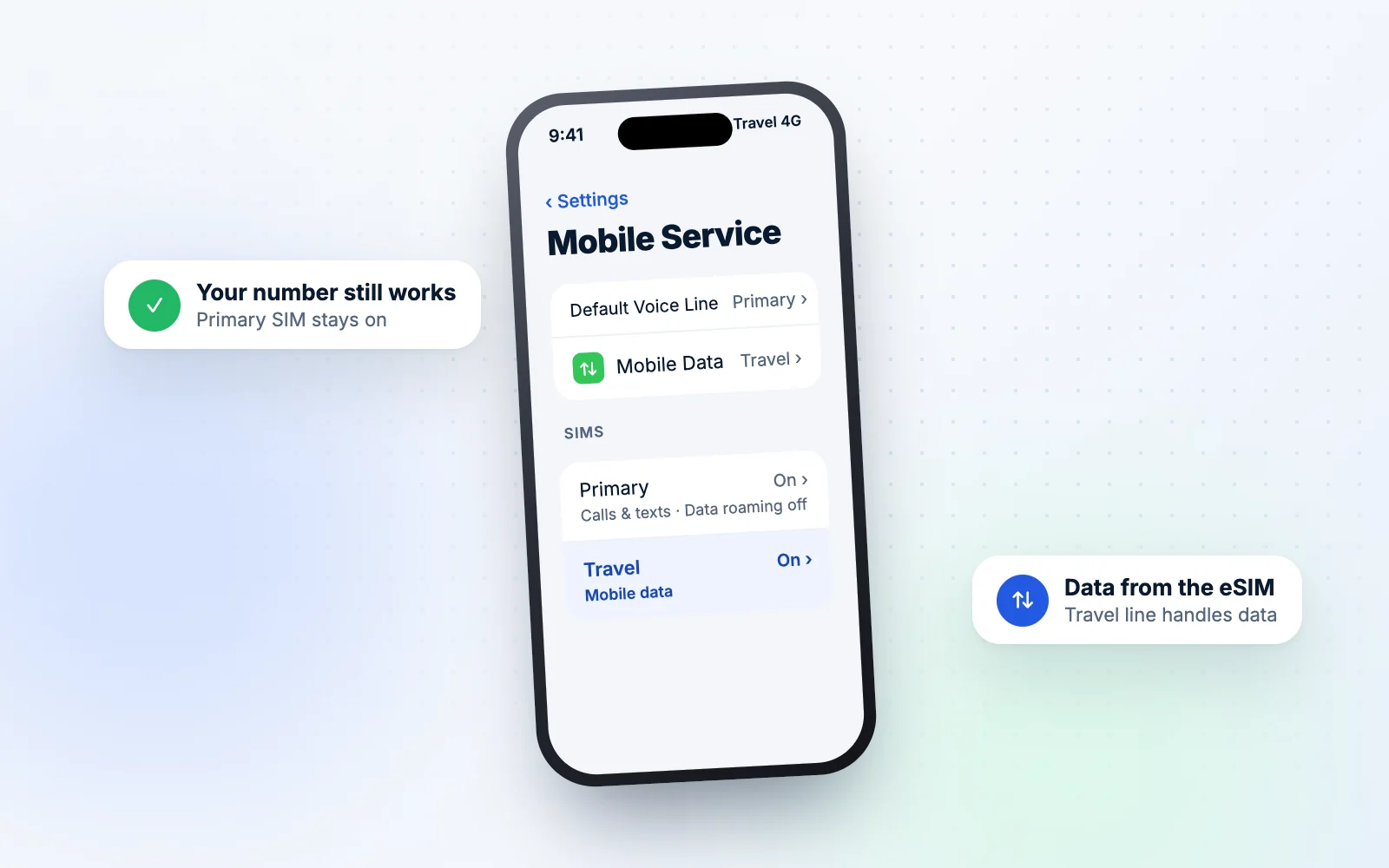
Quick answer
- A travel eSIM adds a second line; your primary SIM, number and plan stay exactly as they are.
- Use your primary SIM for calls and texts, and the travel eSIM for mobile data.
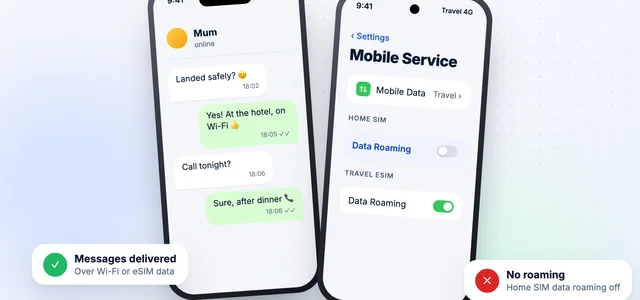
- Turn data roaming off for your primary SIM and on for the travel eSIM.
- Calls and texts to your number still reach you while the line is on, but your carrier's roaming rates may apply.
One of the most common worries before buying a travel eSIM is what it will do to your normal SIM. Will it replace your number? Cancel your plan? Stop your bank's security texts from arriving?
The short answer is that nothing is deleted or cancelled. Your primary SIM stays in your phone, with the same number and the same plan. This guide explains what happens to your primary SIM when you install a travel eSIM, what stays the same, what changes, and how to set up both lines for a trip.
The Short Answer
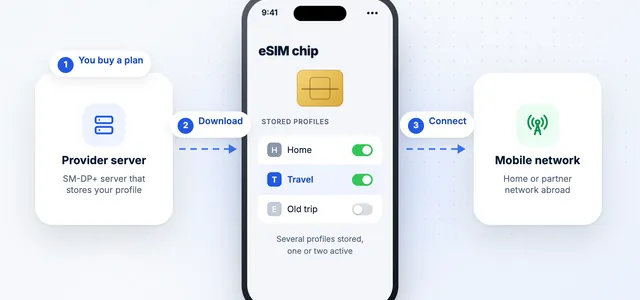
Installing a travel eSIM adds a second line to your phone; it doesn't replace the first. Most phones that support eSIM can use both at once:
- your primary SIM for your normal number, calls and texts, and
- the travel eSIM for mobile data while you're abroad.
You choose which line does what in your phone's settings.
How Two Lines Work on One Phone
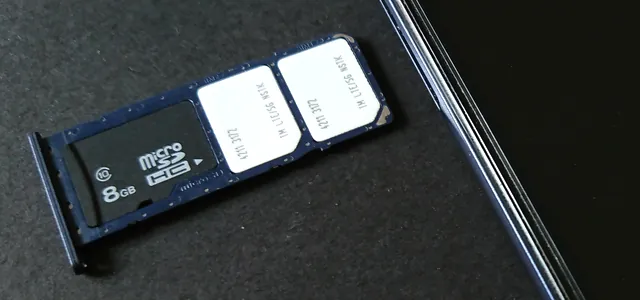
Phones that support eSIM are almost always dual SIM: they can hold a physical SIM and an eSIM, or two eSIMs, and keep both lines switched on at the same time. When you install a travel eSIM, your phone asks you to name the new line and choose which one to use for calls, texts and mobile data.
Both lines stay connected, so calls and texts to your primary number still reach you. Only one line provides mobile data at a time, which is the line you choose. Not sure your phone can do this? Here's how to check if your phone supports eSIM.
What Stays the Same, and What Changes
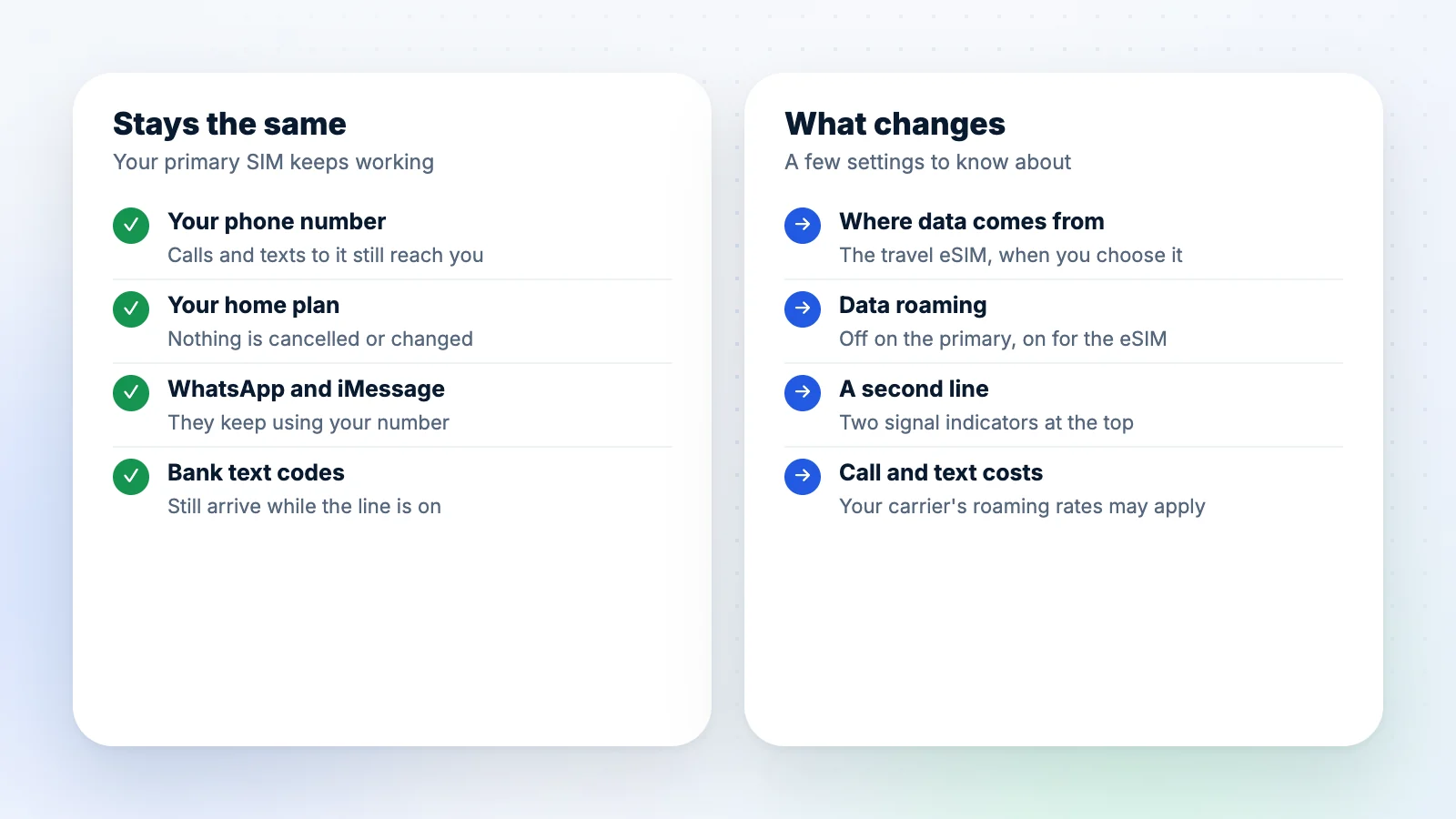
What stays the same:
- Your phone number. Calls and texts to it still reach you while the line is on.
- Your home plan. Nothing is cancelled, paused or changed with your carrier.
- WhatsApp and iMessage. They keep using your normal number; only the internet connection comes from the travel eSIM. Our guide to using WhatsApp without data roaming explains the details.
- Your bank's security texts. One-time passcodes still arrive while your primary line is switched on.
What changes:
- Where your mobile data comes from: the travel eSIM, once you set it as your data line.
- Data roaming settings: off for your primary SIM, on for the travel eSIM.
- Your status bar: you'll see two signal indicators, one for each line.
- Call and text costs: calls and texts on your primary number abroad can be charged at your carrier's roaming rates.
How to Set Up Both Lines for a Trip
On iPhone:
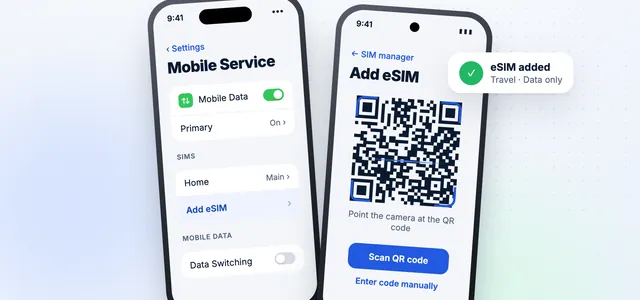
- Install the travel eSIM and give it a clear label, such as "Travel".
- Go to Settings → Mobile Service (or Cellular). Set Mobile Data to Travel and Default Voice Line to your primary line.
- Tap your primary line and turn Data Roaming off. Our guide to turning off data roaming shows the switch on other phones.
- Tap the Travel line and turn Data Roaming on.
- Under Mobile Data, turn off Allow Mobile Data Switching, so your phone doesn't fall back to your primary line for data.
On Android:
- Install the travel eSIM and rename it so it's easy to recognize.
- Open the SIM manager (or SIMs) in your settings.
- Set Calls and Messages to your primary SIM, and Mobile data to the travel eSIM.
- Turn Roaming off for your primary SIM and on for the travel eSIM.
Menu names vary a little between phones and software versions. Our install guide shows where to find them on different models.
Calls and Texts to Your Number Abroad
With your primary line on, people can call and text your normal number as usual. Turning off data roaming only stops that line from using internet data; it doesn't block calls or texts. Your carrier may charge for incoming calls and for texts you send while roaming. Receiving texts is often free, but check your carrier's rates.
Some carriers support Wi-Fi Calling abroad, which lets you make and receive calls on your normal number over the internet, often at home rates. Check whether yours offers it and what it costs before relying on it.
One call at a time
On most dual SIM phones, while you're on a call on one line, calls to the other line go to voicemail or show as missed. That's normal and doesn't mean anything is wrong.
Should You Turn Off Your Primary SIM?
You have two sensible choices:
- Keep it on, with data roaming off. You stay reachable on your normal number and still get bank codes, but incoming calls may be charged.
- Turn the line off. No roaming charges at all, but calls and texts won't reach you until you switch it back on. Your WhatsApp number keeps working either way.
There's no need to take a physical SIM out of your phone. If you do, store it somewhere safe, as you'll need it when you get home.
Don't delete your primary eSIM
If your home number is itself an eSIM, don't delete it to make room for a travel eSIM or to "reset" anything. Getting it back usually means contacting your carrier, which is hard to do from abroad. Turning the line off is enough.
After Your Trip
- Set Mobile Data back to your primary line.
- Turn the travel eSIM line off, or delete it once the plan has ended and you're sure you won't top it up.
- Check that Data Roaming is set the way you want on your primary line for next time.
Frequently asked questions
Will installing a travel eSIM delete my SIM card?
No. A travel eSIM is added alongside your existing SIM. Your number, your plan and your physical SIM or eSIM all stay as they are.
Can I receive calls on my normal number while using a travel eSIM?
Yes, as long as your primary line is switched on. Your carrier may charge roaming rates for calls you receive abroad, so check its prices.
Which number will WhatsApp use?
Your usual number. WhatsApp stays linked to your account; the travel eSIM only provides the internet connection.
Do I need to take out my physical SIM card?
No. Leave it in your phone. Most phones that support eSIM can use a physical SIM and an eSIM at the same time.
Can I have two eSIMs on one phone?
Many phones can store several eSIMs. How many can be active at once depends on the phone; recent iPhones and many Android phones can use two at the same time.
Next step
Install your travel eSIM
Step-by-step instructions for iPhone and Android.
Install your travel eSIMData Roaming Editorial Team
We write practical, plain-English guides about using your phone abroad. Roaming prices and rules change, so we update guides regularly — always confirm current terms with your carrier. About our editorial approach
 Europe
 USA
 Japan
 France eSIM
 Spain eSIM
 Italy eSIM
 Dubai eSIM
 UK eSIM
 Turkey eSIM